Lipi · References and checks
References that agree with the published record
A bibliography collects small mistakes: a year from the preprint, a title remembered rather than copied. Lipi checks every reference against the published record, shows you exactly where yours differs, and takes the published version with one click.
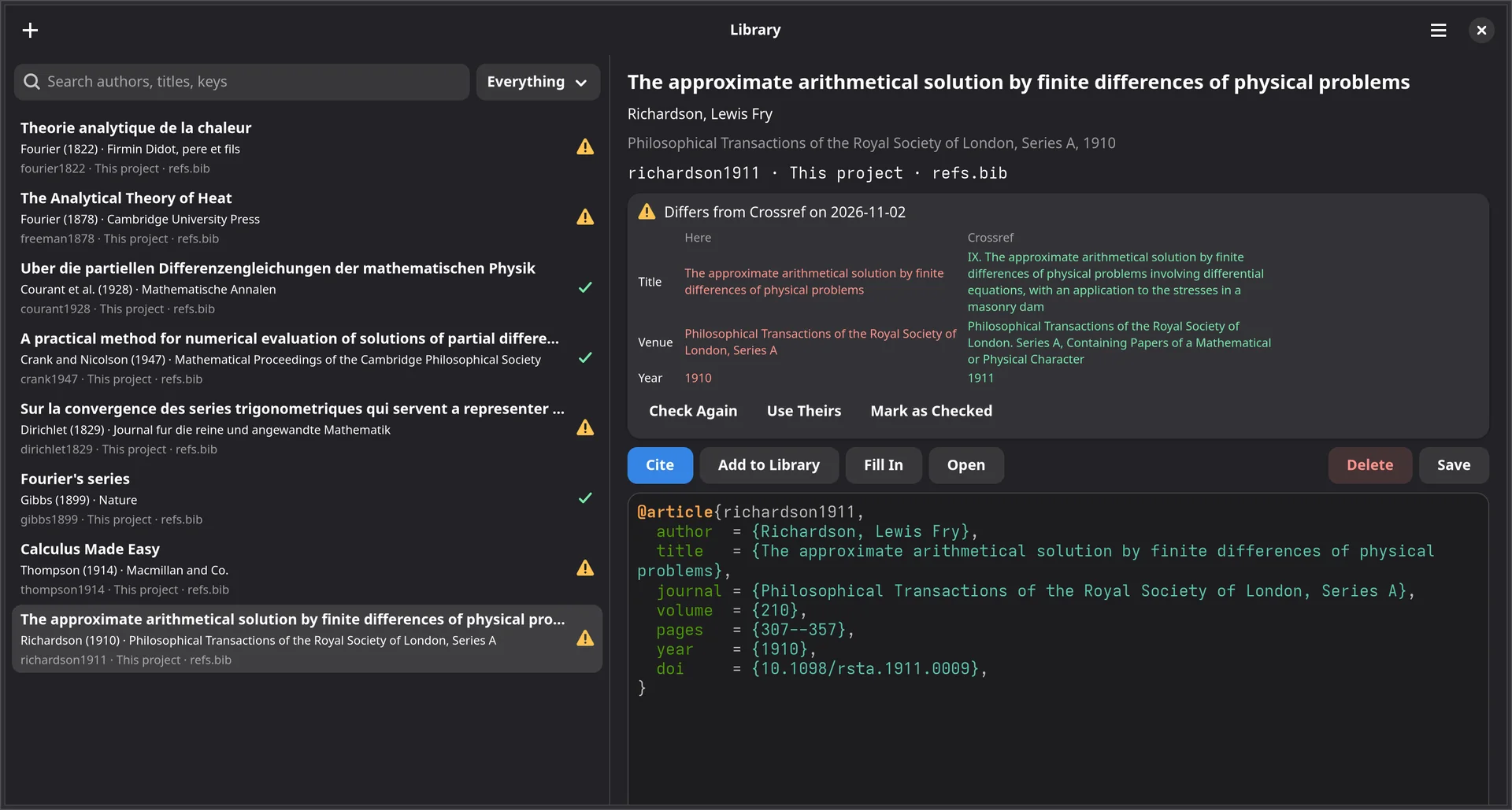
One library for every project
Your own library.bib, read together with the .bib files of
recent projects and any others you name, such as a Zotero export. Search by author,
title or key, and cite at the cursor.
- Add a reference from a DOI, an arXiv id, an ISBN or a link, or paste BibTeX, or import a file.
- It comes in tidied: fields in one order and aligned, page ranges
with
--, bare DOIs, and a key likeknuth1984literate. - Each entry says what its kind lacks, and Fill In gets it from Crossref.
- A key cited from the library is copied into the project’s
.bibas it builds; one is made if there is none. - Remove Uncited References takes out what the document no longer cites, after listing it, keeping a copy of each in the library.
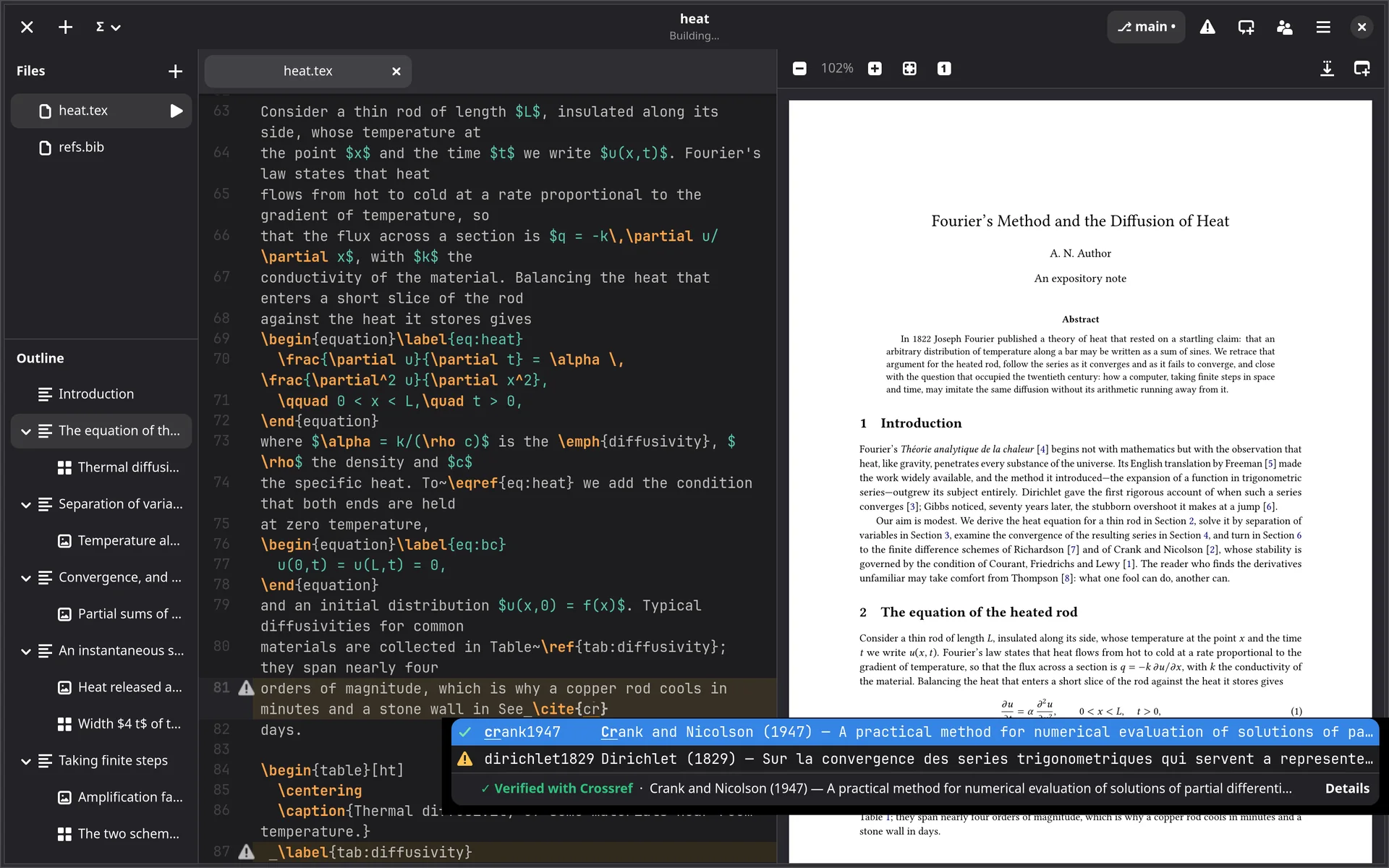
\cite{…} offers the library’s keys too, each with
its check.Checked as the project opens
Title, authors, venue and year are compared at Crossref, OpenAlex, arXiv or Open Library, allowing for LaTeX, accents, abbreviated venues and a year online before print. A green tick marks a reference that agrees, a warning one that differs or that no one knows. You can check one yourself and mark it as checked.
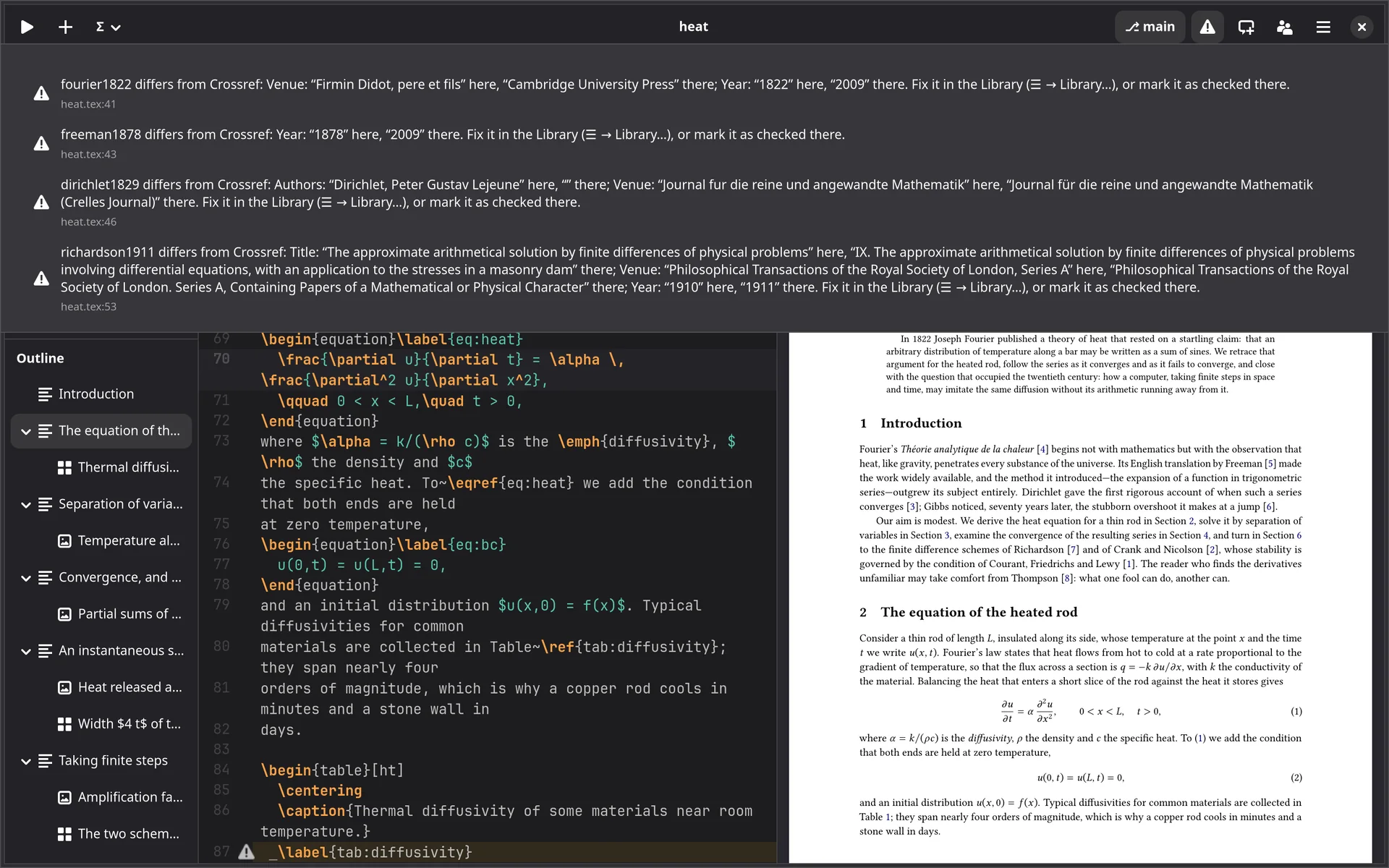
A project’s cited references are checked in the background as it opens. A
\cite whose reference differs is shaded in the source, marked in the
gutter, explained on hovering and listed with the build’s warnings.
Checks as you type
Across all the project’s files, without waiting for a build.
References and labels
A \ref to no label, a
\cite of a key neither the project nor your library has, and a label
defined twice are underlined, saying where the other one is. A label nothing refers to
has a faint line under it.
ChkTeX
Its style notes, through texlab, if you turn it on.
Grammar
From LanguageTool, the public server or your own, with suggestions on right-clicking. Only the open file’s prose is sent: maths, citations and commands stay behind.
The reference library, citation metadata, checking against the published record, and grammar, ChkTeX and label checks come with a licence.