Sulekha · Presenting
Teach from your Beamer deck
Press F5, or start the lecture in one command with
sulekha --present lec05.pdf. The deck goes full screen on the projector and the
presenter view opens on yours, with a pen already in hand.
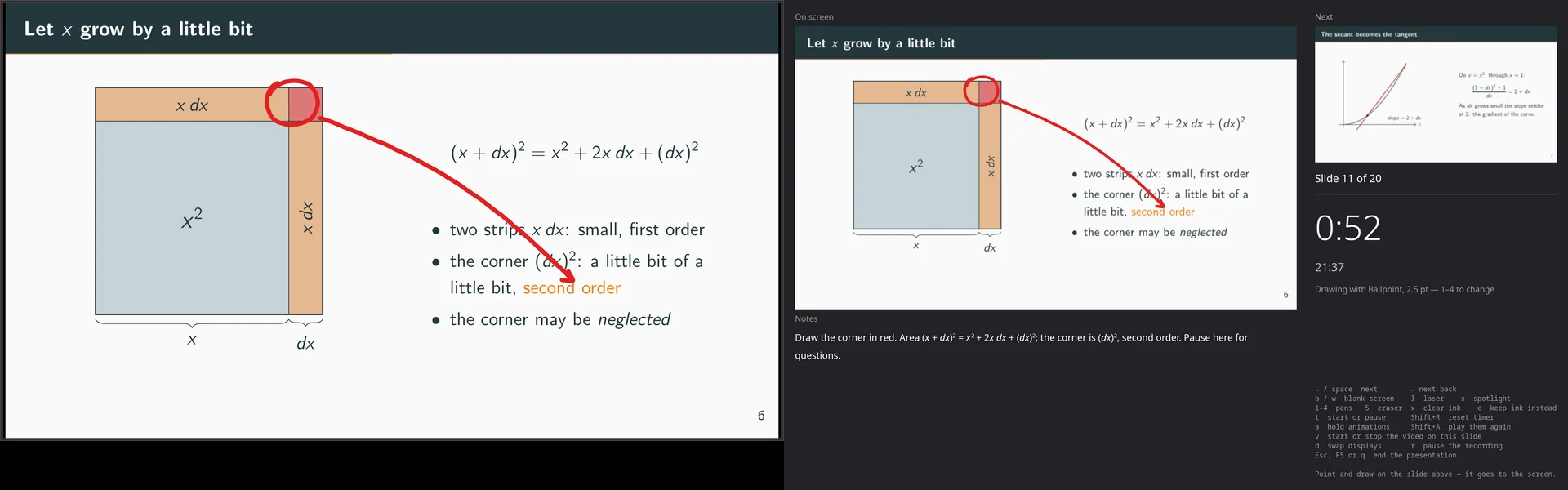
A presenter view that is a mirror
It shows the slide the room is looking at, the next one, the slide number, an elapsed timer and the time of day. Ink, the laser and the spotlight appear on it exactly as the audience sees them. It is also where your hands are, so drawing on it lands on the screen behind you.
- Ink is ephemeral. Draw over a slide and it clears when you move on, so next year’s deck does not carry this year’s arrows. Press e to keep it.
- The eraser reaches stage ink too, from the stylus’s other end or with 5. Nothing drawn on stage is written into the file.
- d swaps the displays when the compositor has put the deck on the laptop and the presenter view on the projector. Every lecture starts that way somewhere.
- The screen is held awake for as long as the deck is up.
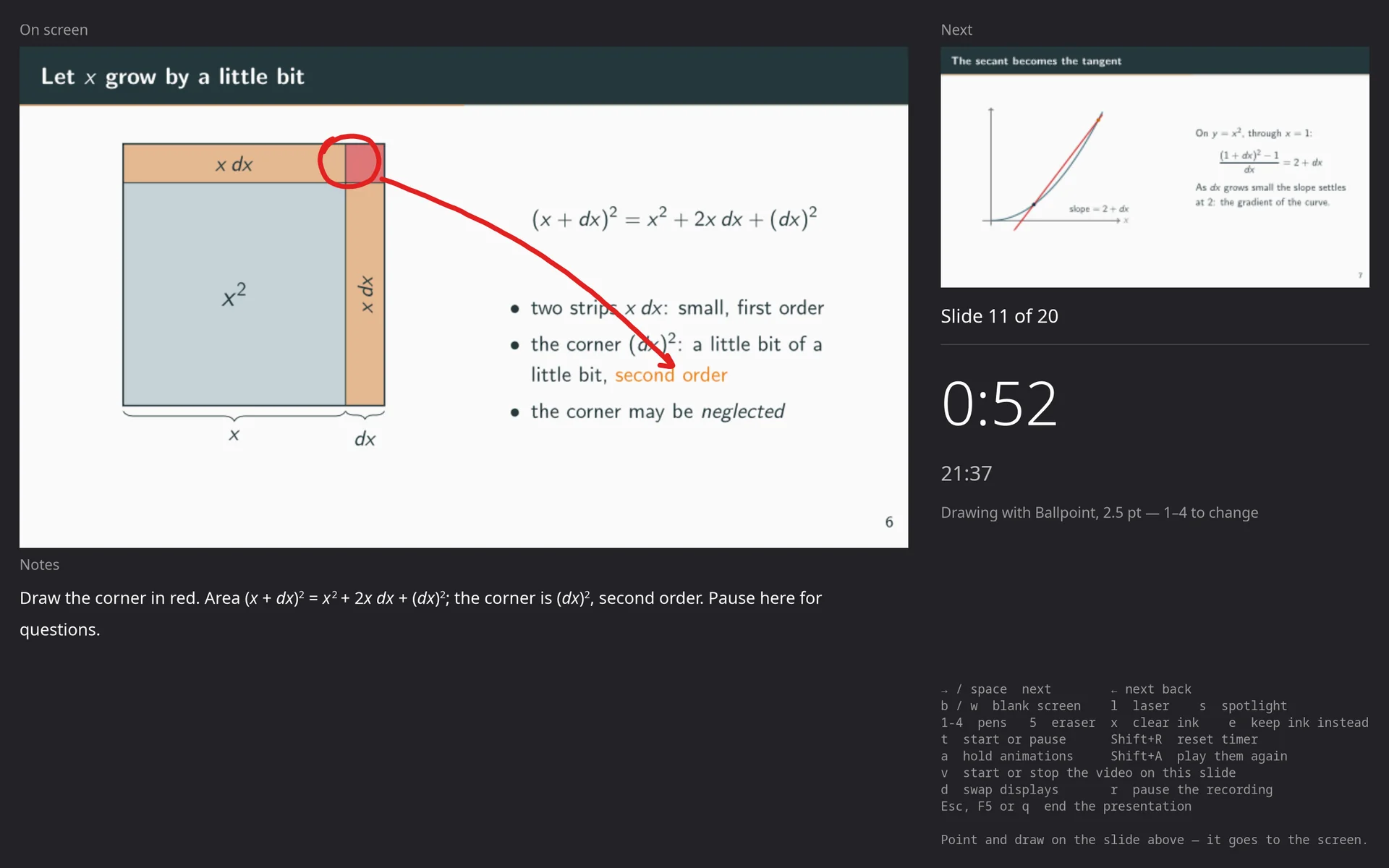
Speaker notes in Markdown, beside the deck
lec01.pdf gets lec01.notes.md, with a heading per slide. The notes
live beside the PDF rather than in it, because a deck is rebuilt and anything written
into it is lost on the next build. The file is read again whenever you save it, even
mid-rehearsal with the presenter view open.
- Maths renders:
$\Delta t \le h^2/2\alpha$comes out as symbols, fractions and roots. Whatever it does not understand is shown as written, never swallowed. - Code is coloured for Python, C and C++, CUDA, Julia, MATLAB, Fortran, Rust, shell and TeX, and pipe tables line up.
- One note can cover an overlay build-up:
## Slides 14-16. - Edit Speaker Notes… writes the file for you, a heading per slide with its title, and never overwrites one that exists.
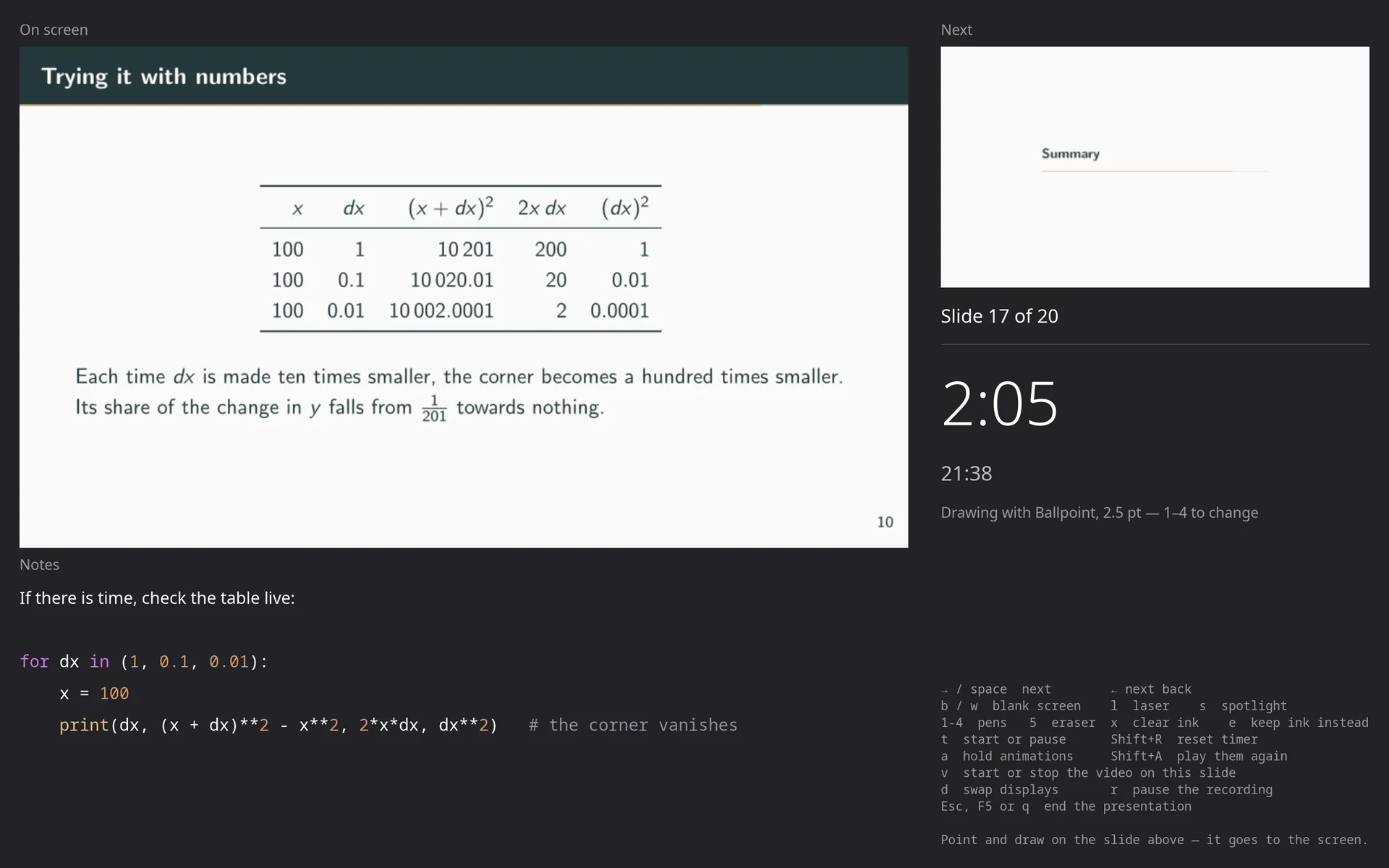
## Slide 11: Let x grow by a little bit
Draw the corner in red. Area $(x+dx)^2 = x^2 + 2x\,dx + (dx)^2$; the corner is
$(dx)^2$, second order. Pause here for questions.

## Slides 14-16
One note for the whole overlay build-up.

## Slide 17
If there is time, check the table live:
```python
for dx in (1, 0.1, 0.01):
    x = 100
    print(dx, (x + dx)**2 - x**2, 2*x*dx, dx**2)   # the corner vanishes
```
Animations and video that play
Decks built with LaTeX’s animate package play at the rate the file asks
for, looping or in palindrome, several to a slide, starting again each time you arrive.
No JavaScript is run: Sulekha reads the frames and keeps the clock itself, which is
also why a recorded talk exports with its animations moving.
Clips embedded with media9 play inside the slide, on arrival or on a click,
and v starts or stops one from the keyboard. media9 still names
Flash as its player, so these clips play in no other reader; the video inside is
ordinary H.264, and Sulekha plays it directly.
- a holds the animations on a slide while you talk over them; Shift+A plays them from the start.
- A deck with a gigabyte of film opens as fast as one without: a clip is taken out of the file only when its slide is first shown.
\animateinline figure: the secant turning into the tangent.\includemedia, playing inside the slide.Pointing, and the keys a clicker sends
Take up the laser with l or the spotlight with s, and the pen points instead of drawing, on both screens at once. Blank to black or white when the room should be looking at you.
| → ← Space | Next / previous slide |
| b / w | Blank to black / white |
| l / s | Laser pointer / spotlight |
| 1–4 / 5 | Take up an instrument / the eraser |
| x / e | Wipe this slide’s ink / keep ink |
| t / Shift+R | Start or pause the timer / reset it |
| d | Swap the displays |
| r | Pause or resume the recording |
| Esc F5 q | End the presentation |
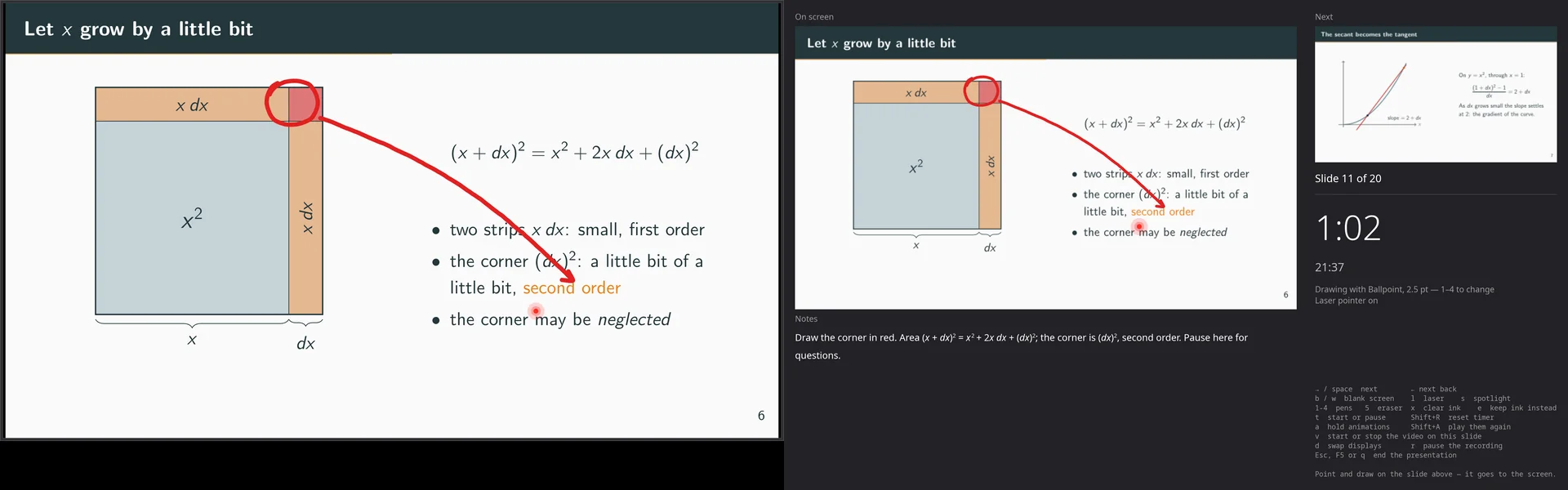
Presenting full screen is free in every tier, forever. The presenter view, ink over slides, the laser and blanking come with a licence.